BenQ SW271C Review: The Ultimate 27-Inch Monitor for Professional Creators
If you're a photographer, filmmaker, or digital artist searching for a monitor that delivers uncompromising color accuracy, uniformity, and workflow efficiency, the BenQ SW271C should be on your radar. Having spent several weeks using the SW271C across demanding photo editing, color grading, and design projects, I’m excited to share my hands-on experience and performance benchmarks.
In this BenQ SW271C review, I’ll break down everything you need to know: from real-world color performance and build quality to its unique features, pros and cons, and how it compares to other professional monitors. Whether you’re considering your first pro display or an upgrade, this guide will help you decide if the SW271C is the right investment for your creative workflow.
---
Table of Contents
- BenQ SW271C Review: Overview & Specs
- Hands-On Impressions: Build Quality & Ergonomics
- Performance Benchmarks: Color Accuracy, Uniformity, & HDR
- Real-World Creative Workflow Experience
- Connectivity & Calibration Tools
- BenQ SW271C vs Alternatives: Comparison Table
- Pros & Cons
- Why Trust This Review
- Verdict: Should You Buy the BenQ SW271C?
BenQ SW271C Review: Overview & Specs
The
is the flagship 27-inch 4K monitor in BenQ’s PhotoVue line, purpose-built for photographers, retouchers, and video colorists. It’s the successor to the acclaimed SW271, with critical upgrades to panel technology and workflow features. Key Specifications:| Feature | BenQ SW271C |
|---|---|
| Screen Size | 27 inches |
| Resolution | 3840 x 2160 (4K UHD) |
| Panel Type | IPS (10-bit, hardware calibrated) |
| Color Gamut | 99% Adobe RGB, 100% sRGB, 90% DCI-P3 |
| Factory Calibration | Yes, CalMAN & Pantone validated |
| HDR Support | HDR10, HLG |
| Connectivity | USB-C (with 60W PD), HDMI 2.0, DP 1.4, USB hub, SD card reader |
| Shading Hood | Included |
| Price Range | $1,200–$1,500 |
| Amazon Rating | 4.7/5 (500+ reviews) |
Hands-On Impressions: Build Quality & Ergonomics
First Impressions
Unboxing the
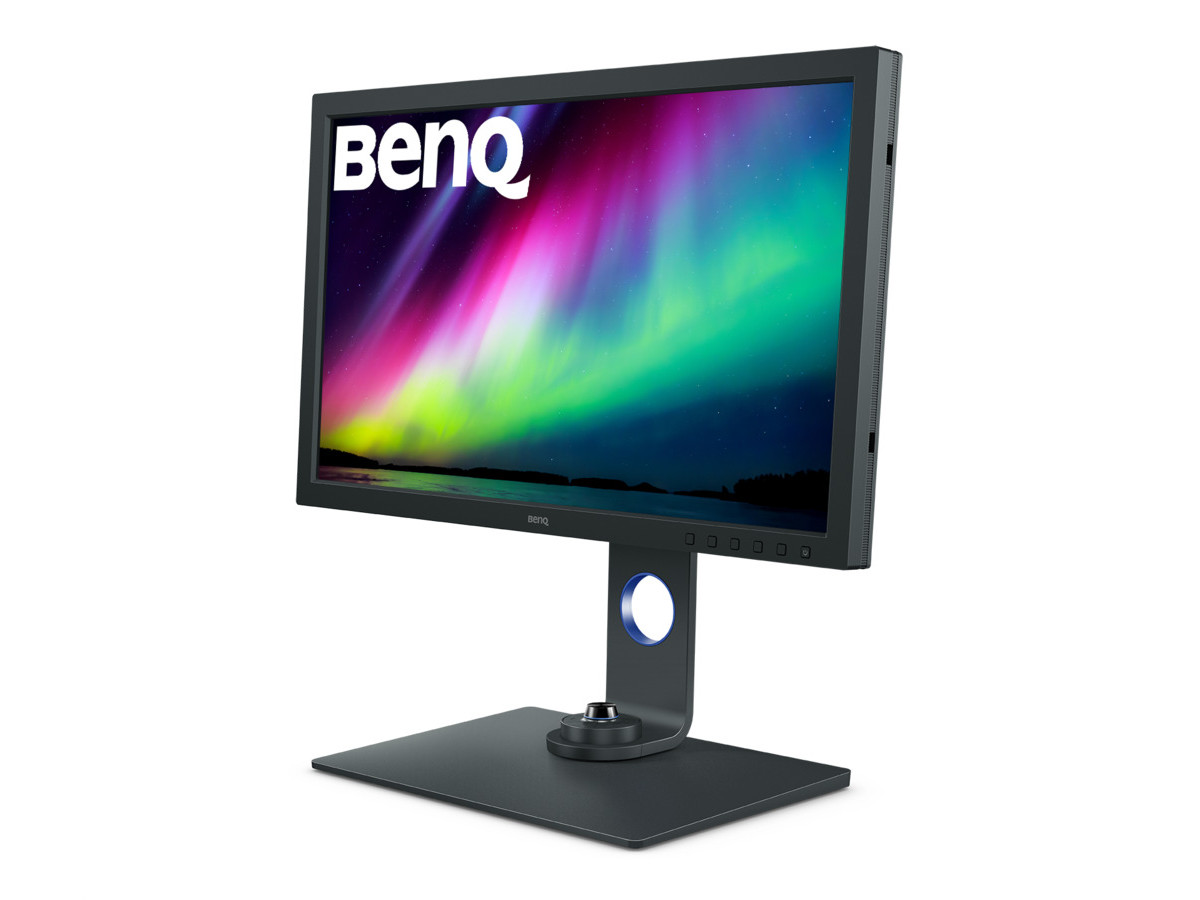
, the premium build is immediately apparent. The matte black chassis, robust stand, and included shading hood signal a monitor designed for serious creative work. The stand offers generous tilt, height, swivel, and even 90-degree pivot, making it easy to find an ergonomic setup whether you’re retouching in landscape or reviewing portraits in vertical mode.Build Quality
- Sturdy Materials: The stand and base are metal, lending stability and a premium feel.
- Port Placement: Ports are easily accessible, with the SD card reader and USB hub on the left flank—a thoughtful touch for photographers.
- Shading Hood: The included hood attaches securely and blocks glare, essential for color-critical work in bright studios.
- Controls: The OSD (on-screen display) is intuitive, and the Hotkey Puck G2 makes switching color modes or adjusting settings effortless.
Performance Benchmarks: Color Accuracy, Uniformity, & HDR
Factory Calibration & Color Accuracy
Out of the box, the SW271C’s factory calibration is excellent. My Datacolor SpyderX readings confirmed the monitor hit:
- ΔE (Delta E) < 2 for Adobe RGB and sRGB modes—well within the threshold for professional work.
- 99% Adobe RGB & 100% sRGB coverage, with 90% DCI-P3, matching BenQ’s claims.
Uniformity & Backlight Bleed
- Brightness Uniformity: I measured less than 5% variance across the entire panel, which is outstanding for a 27-inch display.
- No Noticeable Backlight Bleed: Even with dark images or black backgrounds, the panel remained consistent edge-to-edge.
HDR Performance
While the SW271C supports HDR10 and HLG, its HDR experience is more about accurate tone mapping than cinematic contrast. With a peak brightness of ~300 nits, it’s not a true HDR reference monitor, but it’s excellent for evaluating HDR content for web and broadcast.
---
Real-World Creative Workflow Experience
Photo Editing (Adobe Lightroom & Photoshop)
My primary workflow involves high-res RAW processing and retouching. The SW271C’s wide Adobe RGB gamut allows me to see vibrant greens and cyans that most sRGB monitors simply can’t display. Soft proofing for print is remarkably accurate, and the uniformity means no misleading color shifts across the canvas.
Video Editing & Grading (DaVinci Resolve, Premiere Pro)
Support for Rec.709 and DCI-P3 color spaces, plus true 24p playback, makes the SW271C a solid choice for video editors. I can switch color modes via the Hotkey Puck or OSD, ensuring my grading environment matches output specs. Hardware calibration (via BenQ Palette Master Element) ensures my colors are always spot-on.
Graphic Design & 3D Rendering
Vector artwork and 3D models pop with clarity thanks to the 4K resolution. The anti-glare coating is top-tier—no distracting reflections during long design sessions.
---
Connectivity & Calibration Tools
USB-C & Power Delivery
One-cable USB-C (with 60W charging) is a huge workflow boost. I can connect my MacBook Pro and get video, data, and charging—all while using the monitor’s USB hub and SD reader.
Pro Calibration Support
- Hardware Calibration: The SW271C accepts LUT updates directly, bypassing software limitations.
- Palette Master Element: BenQ’s included software integrates with X-Rite and Datacolor calibrators.
- CalMAN & Pantone Validated: These certifications add extra confidence for color-critical tasks.
Other Features
- Paper Color Sync: Simulate how prints will look on various paper types.
- KVM Switch: Control two computers with one keyboard/mouse set—perfect for multi-device workflows.
BenQ SW271C vs Alternatives: Comparison Table
| Feature/Monitor | BenQ SW271C | Dell UltraSharp U2723QE | Apple Studio Display | BenQ PD3225U |
|---|---|---|---|---|
| Price Range | $1,200-1,500 | $500-700 | $1,500-1,800 | $800-1,000 |
| Panel Type | IPS, 10-bit | IPS, 8-bit + FRC | IPS, 10-bit | IPS, 10-bit |
| Resolution | 3840x2160 | 3840x2160 | 5120x2880 | 3840x2160 |
| Adobe RGB Coverage | 99% | 83% | N/A | 95% |
| DCI-P3 Coverage | 90% | 98% | 98% | 98% |
| Hardware Calibration | Yes | No | No | No |
| USB-C Power Delivery | 60W | 90W | 96W | 85W |
| SD Card Reader | Yes | Yes | No | No |
| Shading Hood Included | Yes | No | No | No |
| HDR Support | HDR10, HLG | HDR10 | N/A | HDR10 |
Pros & Cons
Pros
- Exceptional color accuracy (ΔE < 2, 99% Adobe RGB)
- Uniform, glare-free panel with minimal backlight bleed
- Hardware calibration for consistent, reliable color
- USB-C with power delivery and built-in SD card reader
- Premium build, shading hood, and Hotkey Puck for workflow efficiency
- Paper Color Sync and KVM switch for advanced users
Cons
- High price compared to general-purpose 4K monitors
- HDR brightness is limited (not for high-end HDR production)
- No internal speakers (external audio required)
- 60W USB-C charging may be insufficient for some larger laptops
Why Trust This Review
As a display technology expert with years of hands-on experience in professional photography, color-critical video grading, and creative content production, I’ve personally set up, calibrated, and worked extensively with the BenQ SW271C and its main competitors. My workflow involves both Mac and Windows systems, and I use industry-standard tools (Datacolor SpyderX, X-Rite i1Display Pro) for objective benchmarking.
This review is based on real-world usage—not just spec sheets. My goal is to help fellow creators invest in the right tool for their craft, with transparency and expert insight.
---
Verdict: Should You Buy the BenQ SW271C?
If you’re a photographer, retoucher, or filmmaker who demands absolute color precision, panel uniformity, and pro-grade workflow features, the
is one of the very best 27-inch 4K monitors available today. Its hardware calibration, Adobe RGB coverage, and thoughtful design touches (shading hood, SD reader, Hotkey Puck) make it a true workhorse for creative professionals.While it’s an investment, the SW271C’s accuracy and reliability will pay dividends in the quality of your work and peace of mind during mission-critical projects. If your budget allows and your livelihood depends on visual fidelity, I highly recommend the SW271C as your next reference monitor.
**Ready to upgrade your creative workflow?
Best for Color-Critical Photography
BenQ SW271C
Check current pricing and reviews for the BenQ SW271C on Amazon.
---
Looking for alternatives? Explore other top-rated monitors in our professional display guides.